Select tool
Use Select to inspect elements on the current page, and write selectors and CSS easily.
Select tool panel
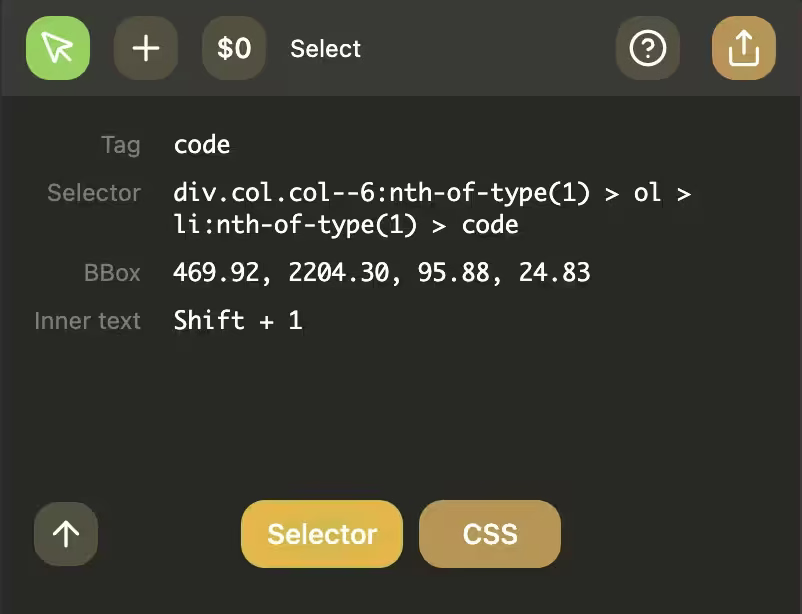
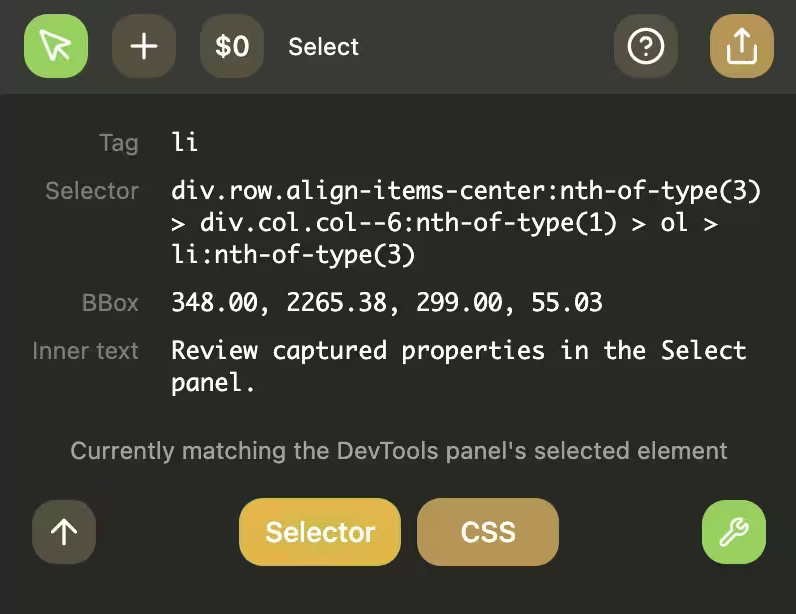
Shows selected element details.
New in v0.3.7: the undo button restores the previously selected element from the recorded selection history when a prior selector is available.
On the bottom bar:
-
Left: Select parent element
- Changes the selected element to the element's parent.
-
Middle: Selector, CSS buttons
- Selector: Opens the Selector Popup, generating
pq.selectorcode. - CSS: Opens the CSS Inspector, generating a CSS selector matching the element.
- Selector: Opens the Selector Popup, generating
-
Right: Select actions menu, DevTools selected element
- Select actions: Clicking it opens an actions menu.
- If a DevTools window is opened on the active tab, a wrench icon will appear. Clicking it will sync the selected element with DevTools' currently selected element.
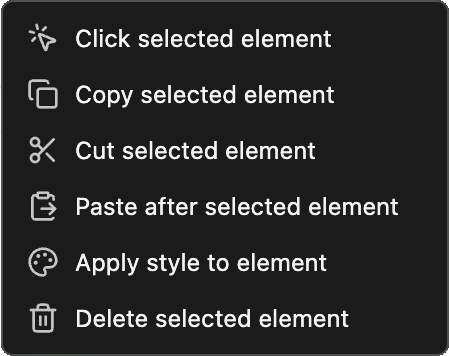
Select actions
Open from the three dots menu in the Select Tool.
- Perform actions on the selected element.
- All actions are recorded in the Record tool, for easy conversion to code later.
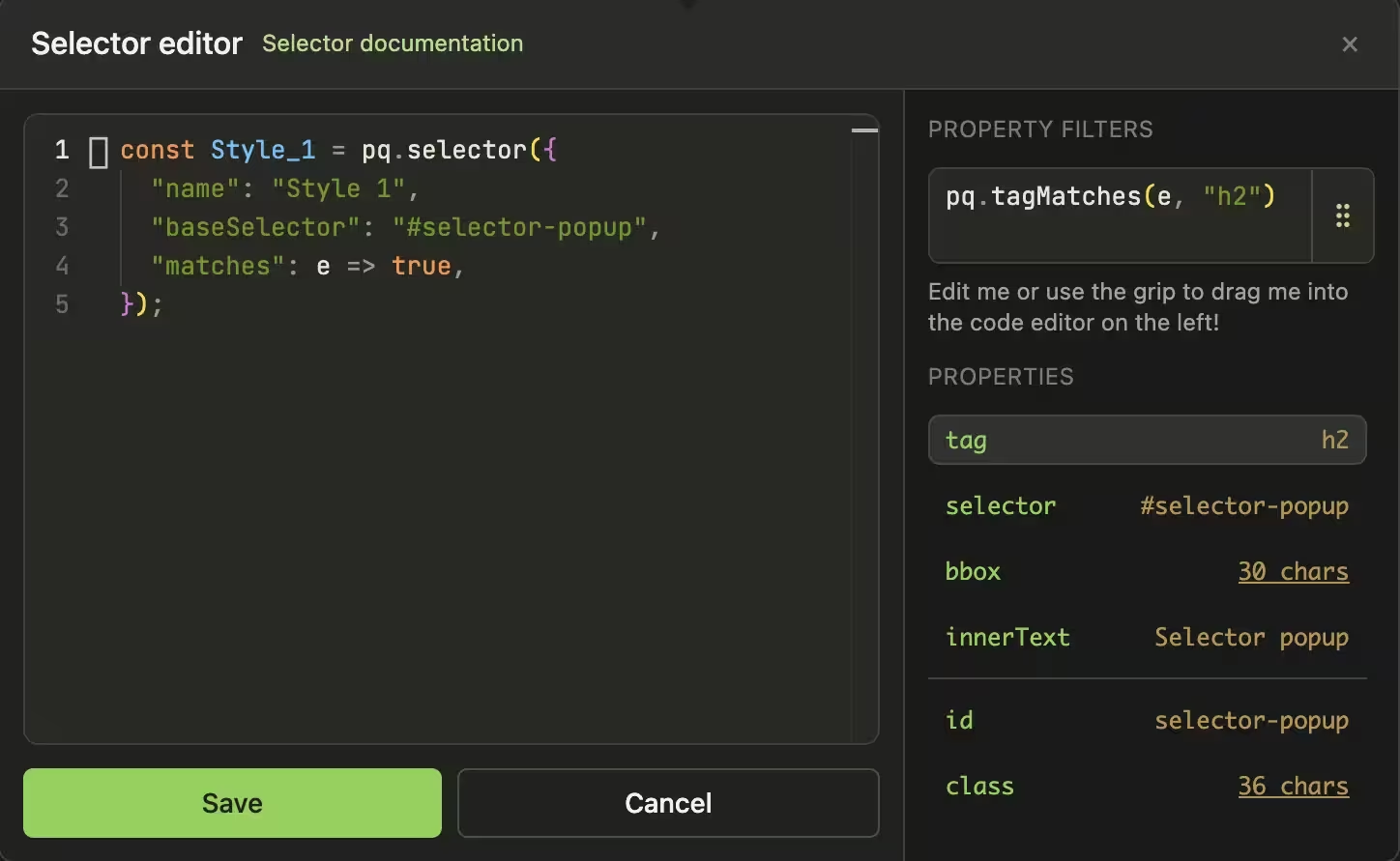
Selector popup
Open from Select -> Selector.
- Edit generated
pq.selector(...)code. - Click on each property to show preview snippets.
- Drag preview fragments into your selector code.
- Special properties are shown first, above the horizontal rule, and require custom functions to match.
- Below the horizontal rule are the element's attributes.
- Save to insert into the
//==Selectors==//block in the side panel code editor.
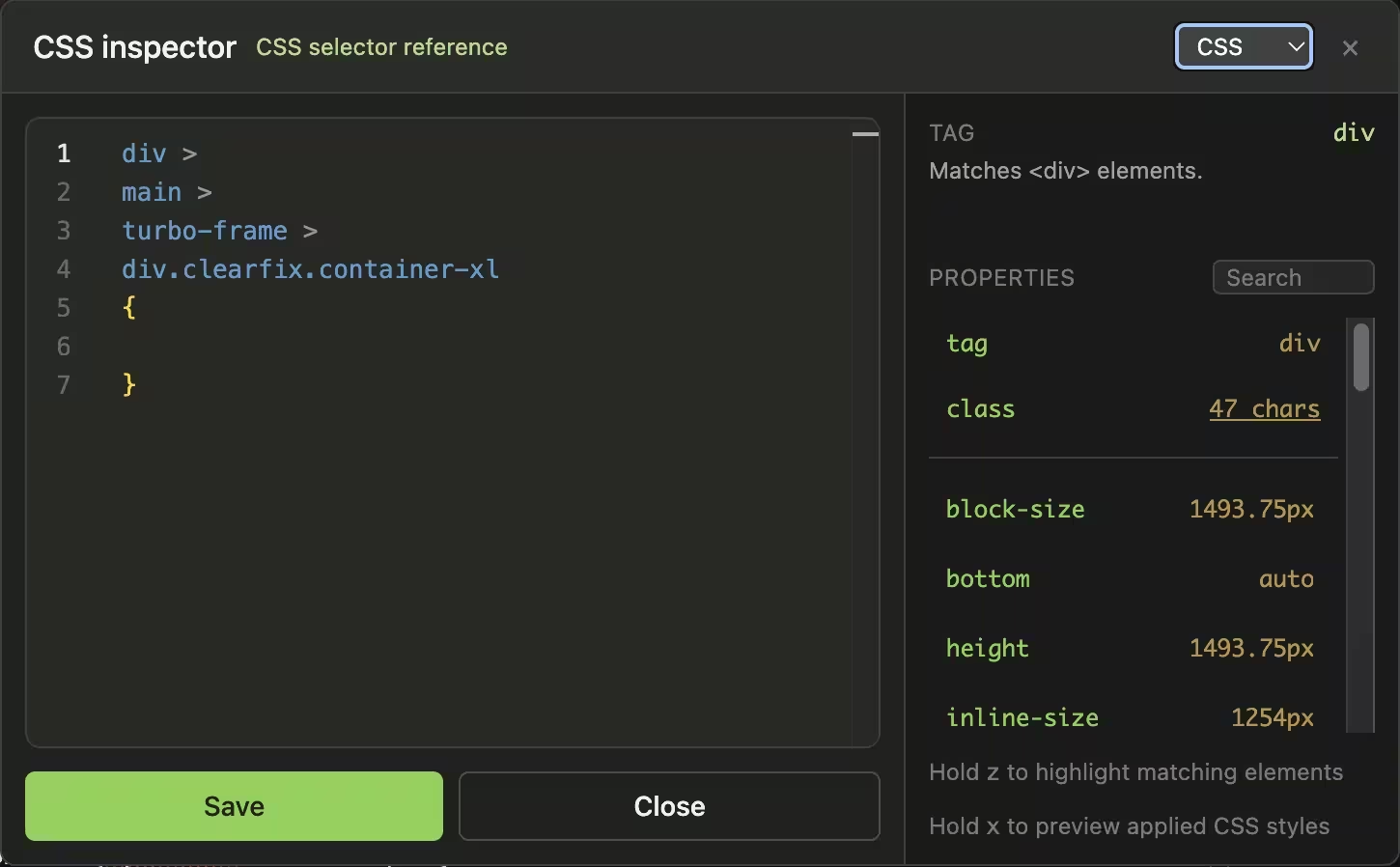
CSS inspector
Open from Select -> CSS (or popup mode switch).
- Edit CSS selector + declarations.
- Selector syncs with the
baseSelectorproperty in the selector popup. - Newlines are added for easier selector visualization, but are removed when
baseSelectoris updated or the code is saved into the side panel's editor. - The current cursor position in the editor is used to display CSS documentation.
- Computed CSS properties are provided as reference.
- Preview selectors/styles via holding down
zandx. - Upon save, a
ps.injectCSS(...)snippet is inserted into the side panel code editor.