Record tool
Capture interactions with the DOM for conversion into code, for easy creation of userscripts.
Recording workflow
- Start recording in the Record tool. Recording is on by default for the active tab.
- Interact with the page using the Select tool.
- Review the captured timeline and select one or more events.
- Use Convert to code to open the converter popup for the selected chain.
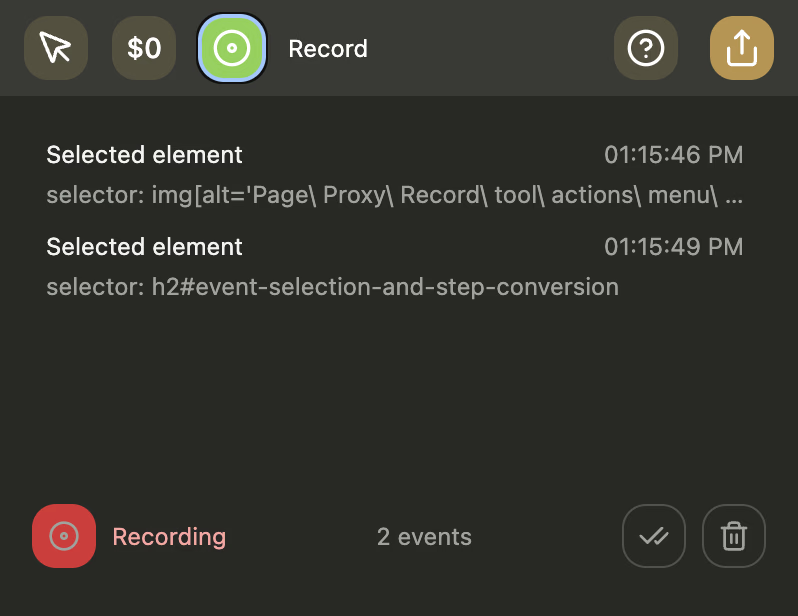
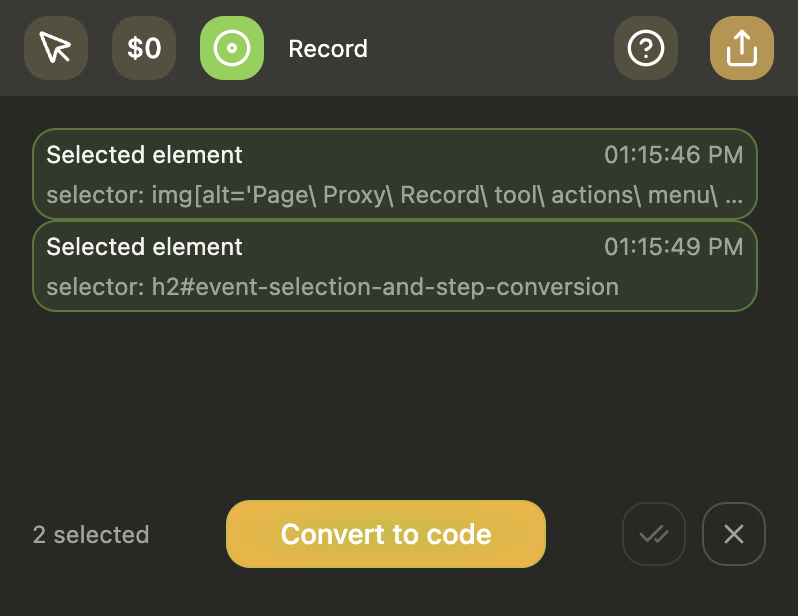
Event selection and step conversion
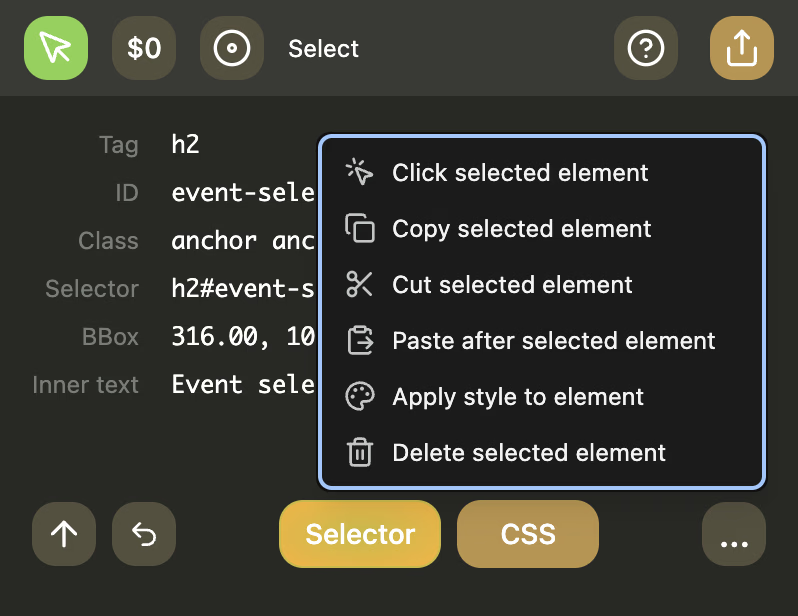
Selecting timeline events exposes the action menu for the current recording chain.
- Use the menu to open the converter for the selected steps.
- Inspect each generated step before moving on to the review stage.
- Keep the selected chain focused so the generated code stays minimal.
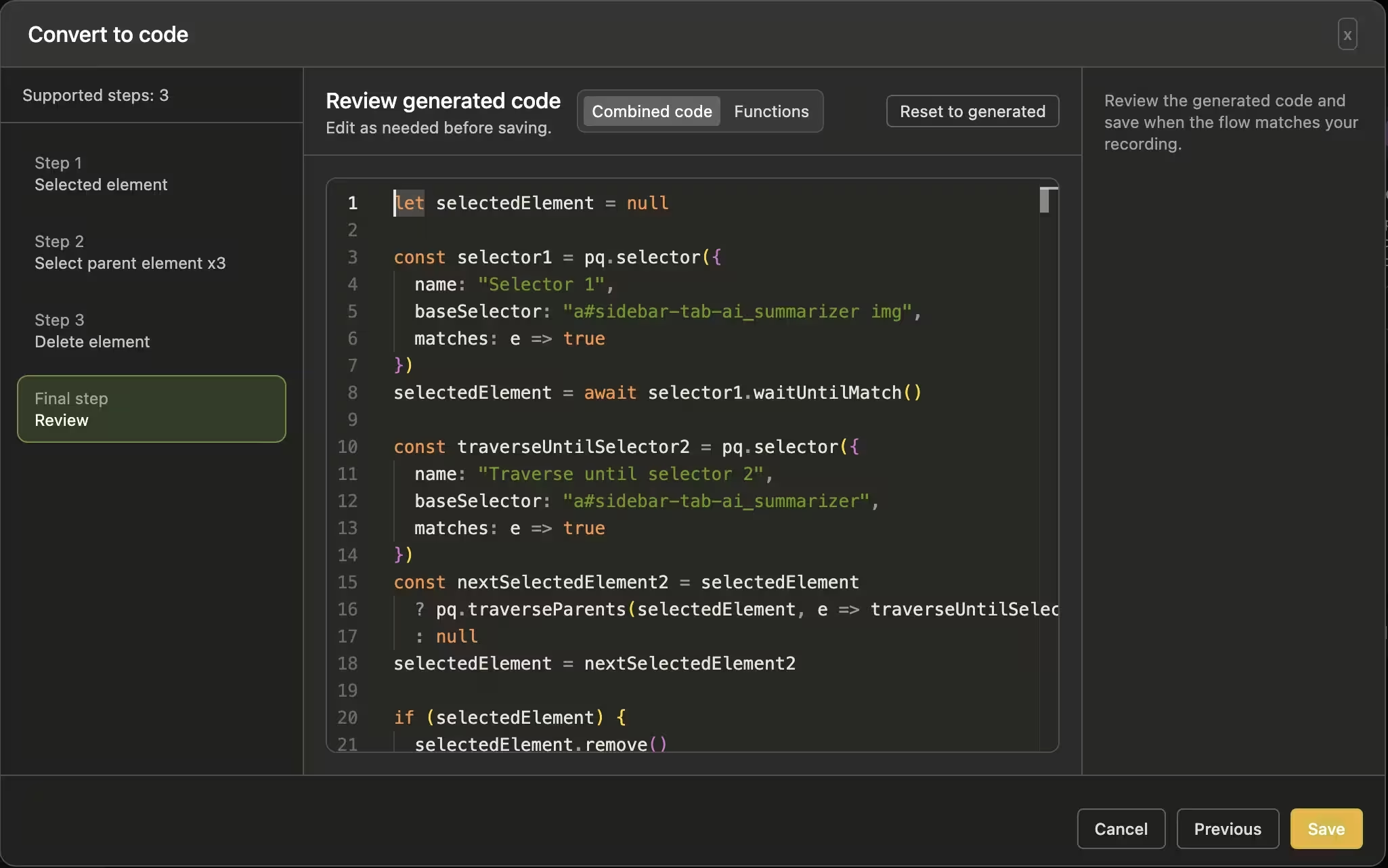
Review generated code
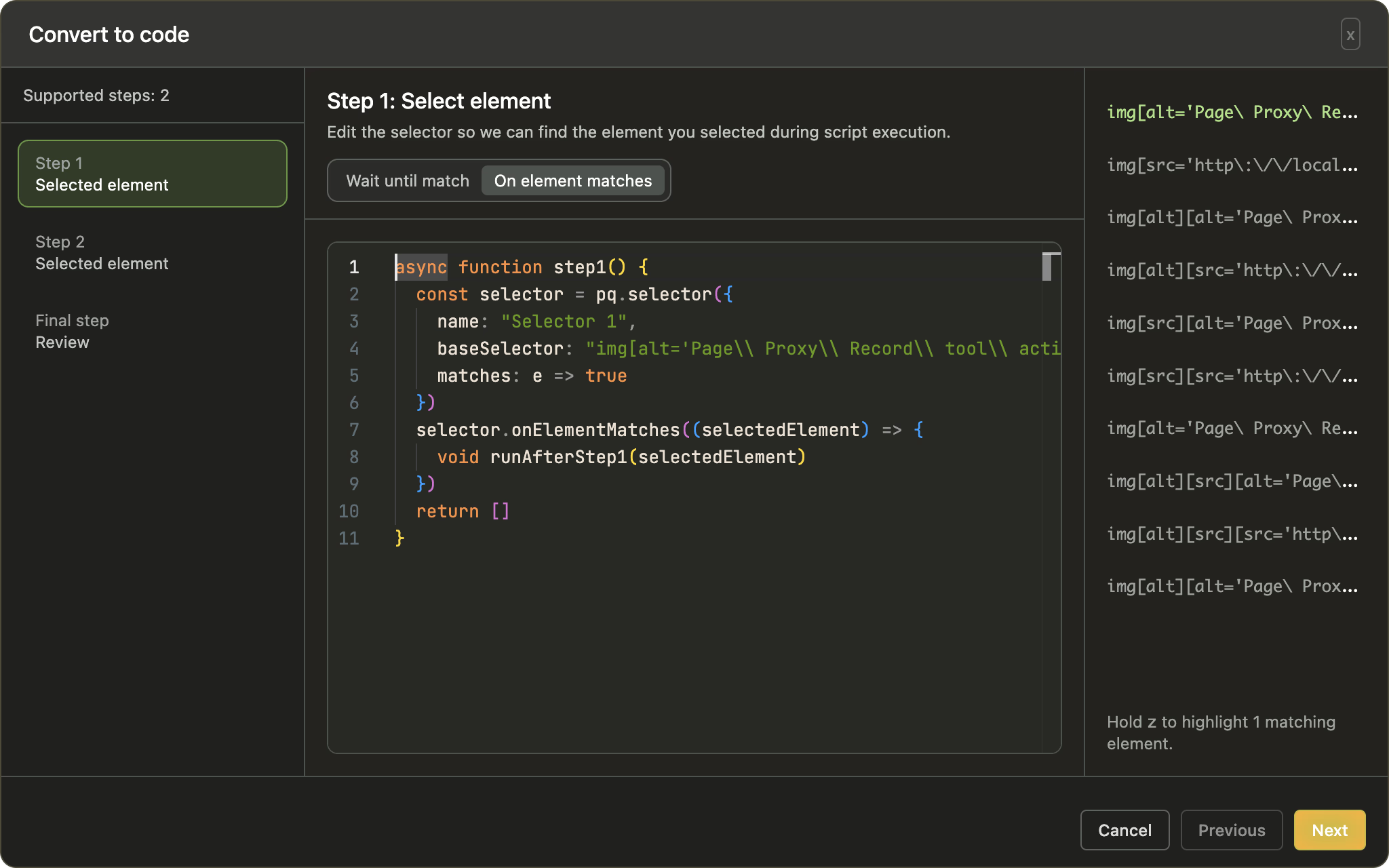
The review step combines the supported recorded actions into editable code.
- Step through the generated sequence in the sidebar, reviewing each step.
- The review step combines the code from previous steps, so edits in previous steps persist in the review step.
- Edit and review the final code before saving.
- Click the Save button to add the edited result back into the sidepanel code editor.
New in v0.3.5:
- Select-element steps can switch between
waitUntilMatch()andonElementMatches(...)generation. - Select-parent steps can now use selector re-selection as an alternative to fixed traversal counts.
Tips and tricks
The record tool is far from perfect, so the end result will need some polish and fixes.
Review the code
Rename variables and cleanup code. It'll make the end result better.
Keep all selectors top-level
Move nested selector declarations, such as this:
selector.onElementMatches((selectedElement) => {
    const otherSelector = pq.selector(/* ... */);
});
to the top level as a global variable for readability.
Unnecessary null checks
JS doesn't have type safety, so the checks are a bit bulky.
if (selectedElement) {
    selectedElement.remove();
}
So if the check isn't neccessary just remove it.
selectedElement.remove();
It's hard to keep generated code general enough to cover most situations, so there's always room for improvement.
These patterns are going to be added in the future, hopefully.