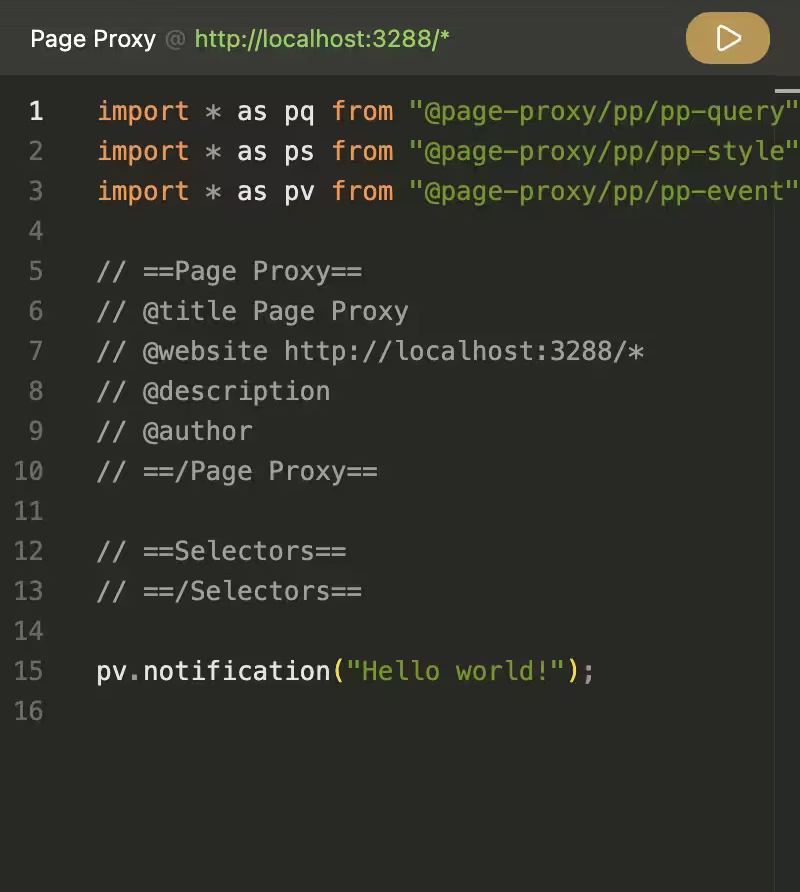
Side Panel (v0.3.x)
Side Panel as of v0.3.x. Look at each tool page to learn more!
Sidepanel layout and shortcuts
The sidepanel has:
- A code editor panel at the top.
- A tool panel at the bottom.
- A toolbar on the top for switching tools.
Toolbar shortcuts:
Shift + 1: SelectShift + 2: SelectorsShift + 3: RecordShift + 4: SettingsShift + 5: Export
New in v0.3.9: the sidepanel now includes a dedicated Settings tool. The Help button can be shown or hidden from Settings instead of always taking a toolbar slot.
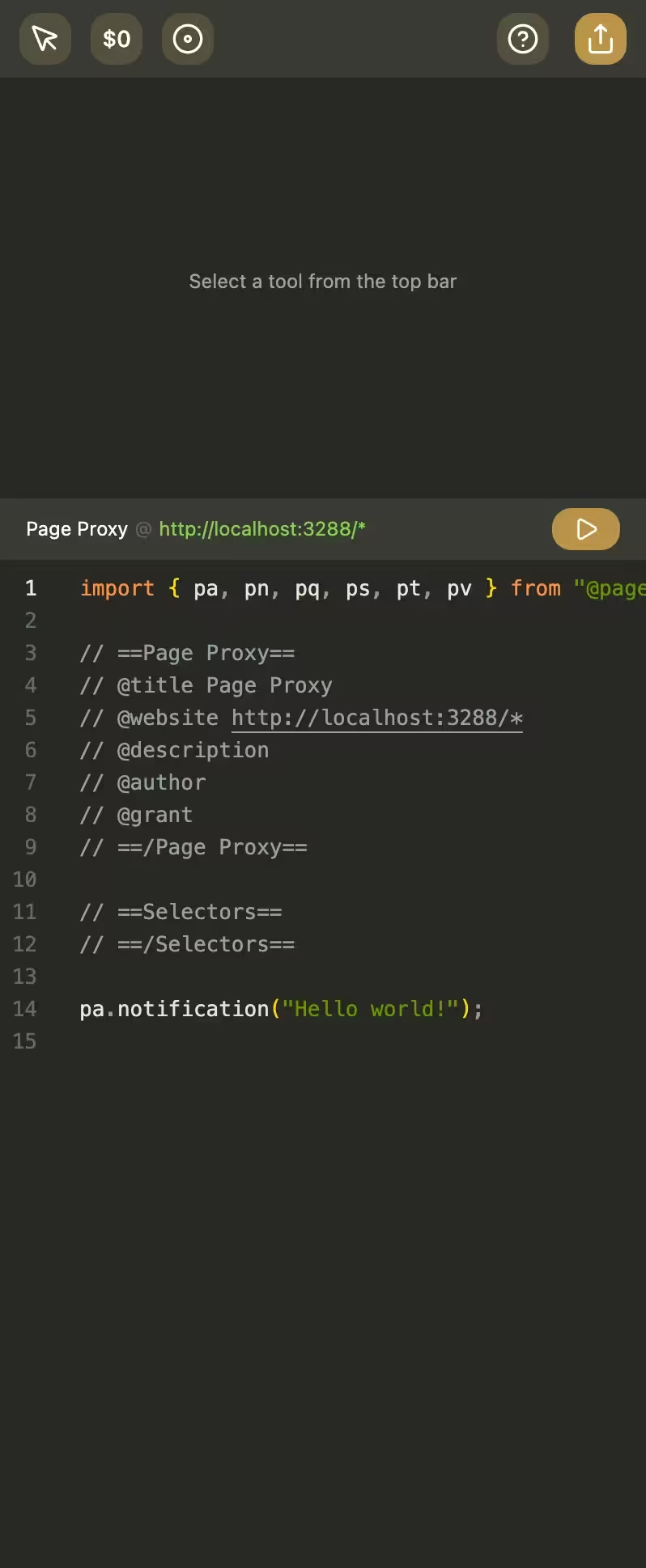
Code editor
The editor is where you edit code and run it on the active tab.
What it does:
- Keeps
pa,pn,pq,ps,pt, andpvimports in your script. - Uses a selector definition block:
// ==Selectors==// ==/Selectors==
- Parses script metadata and selector definitions as you edit.
- Autosaves after a short delay when content changes.
- Supports manual save with
Ctrl+S/Cmd+S. - Runs your script with the Run button (play icon).
- Stores state per website/tab context.
New in v0.3.6: when the current tab already has a matching saved script, the
toolbar script dropdown stays available and includes a New script action for
starting another script on the same tab. New in v0.3.8: the toolbar includes a
Disable all grants button that disables grants (just run-on-page-load) for
now globally. New in v0.3.9: the Settings tool adds per-script grant toggles, so
you can disable declared grants for one saved script without changing the rest.
On protected pages (for example browser internal pages), editing and execution are disabled and a protected-page message is shown.